
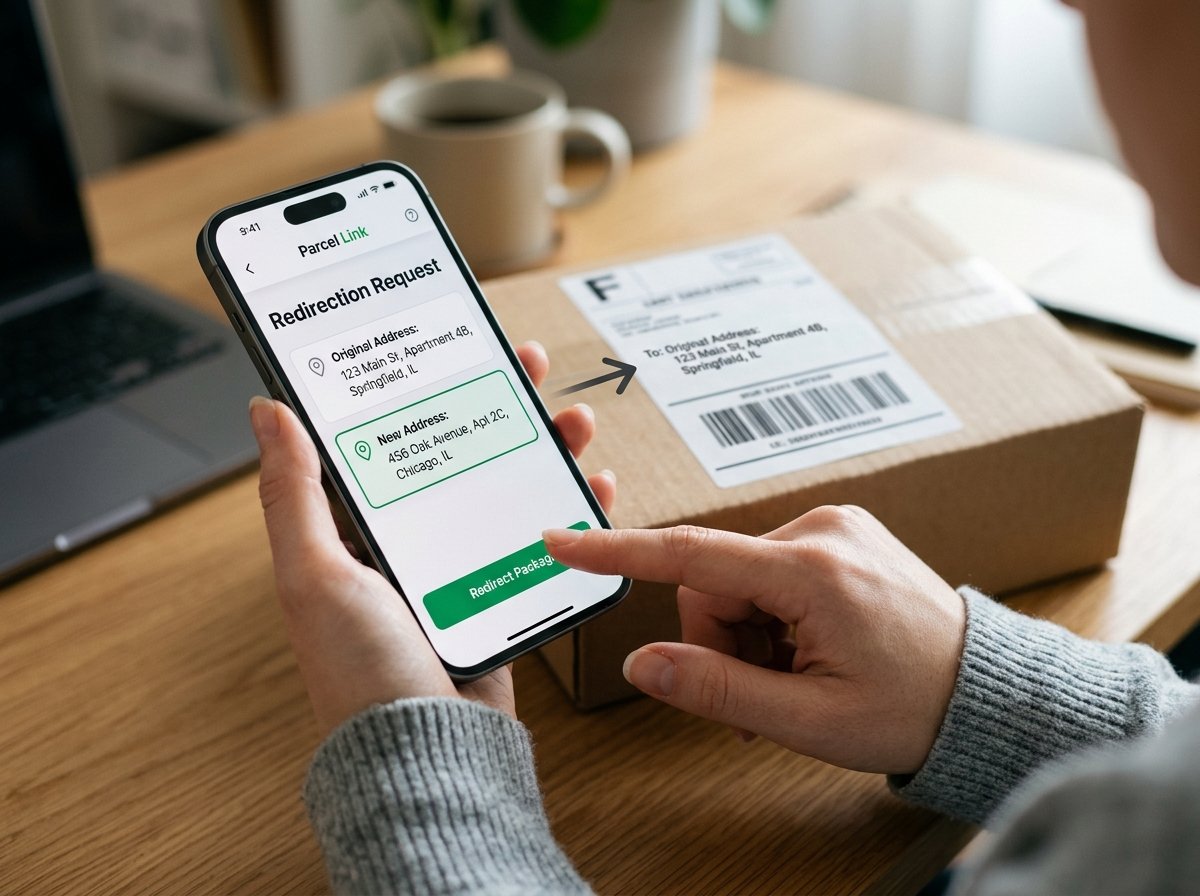
You just placed an order online. Everything’s confirmed. Tracking number’s in your inbox. And then it hits you — you typed your old address. Or maybe your plans changed and you won’t be home for the delivery. Either way, your package is now heading somewhere you don’t want it to go.
Don’t panic. You’re not the first person this has happened to, and you definitely won’t be the last. Most major carriers actually offer package redirection services, and if you act quickly, you can reroute that parcel before it lands on the wrong doorstep. This guide walks you through exactly how to do that — carrier by carrier, step by step, with all the real-world details nobody else tells you about.
Why Would You Need to Redirect a Package?
Before we get into the “how,” let’s talk about the “why” — because understanding your situation helps you pick the right solution.
People need to redirect packages for all sorts of reasons. Maybe you’re moving to a new city and forgot to update your shipping address on an order you placed last week. Maybe you’re traveling for work and won’t be at your delivery location. Or perhaps you accidentally shipped a birthday gift to your own address instead of the recipient’s.
Here’s another super common scenario: you bought something expensive — a phone, a laptop, jewelry — and you’d rather have it delivered to your office where someone can sign for it, instead of leaving it on your porch all day. If you’re shipping valuable electronics, you already know how important the right delivery address is, especially when you’re shipping a mobile phone or laptop safely.
Whatever the reason, the core problem is the same: the package is going somewhere, and you need it to go somewhere else.
Can Every Package Be Redirected?
Short answer? No. Not every package qualifies for redirection, and this is where a lot of people get frustrated.
Here’s what determines whether your package can be rerouted:
The carrier matters. USPS, UPS, FedEx, DHL — they all have different redirection policies. Some make it easy; others make you jump through hoops.
Timing is everything. If the package is already on the delivery truck for final delivery, your window has likely closed. The earlier you request the redirect, the better your chances.
The shipping method plays a role. Packages shipped via standard shipping versus expedited shipping may have different redirect options. Express packages sometimes have more flexibility because they’re tracked more closely throughout transit.
Sender restrictions can block you. Some sellers — particularly large e-commerce platforms — restrict redirection on their shipments for fraud prevention. If the sender flagged the package as “no redirect allowed,” the carrier won’t help you, no matter what.
International shipments are trickier. Redirecting a domestic package within the same country is one thing. Redirecting an international shipment that’s already cleared customs? That’s a whole different ballgame.
⚠️ Warning: If you’re not the sender or the registered recipient, most carriers won’t let you redirect the package. This is a security measure to prevent package theft.
How to Redirect a Package with USPS
USPS handles more residential deliveries in the United States than any other carrier, so let’s start here.
USPS Package Intercept
USPS offers a service called Package Intercept, which lets you stop or redirect a package that’s already in the USPS mail stream. You can request the package be returned to sender or redirected to a different address (though redirection options depend on the mail class).
Here’s how it works:
Go to usps.com and log into your account (or create one — it’s free). Navigate to the Package Intercept page. Enter your tracking number. You’ll see whether your package is eligible. If it is, you submit the intercept request and pay the fee — around $15.25 as of 2025 (prices can change, so check the current rate).
There are a few catches, though. Package Intercept doesn’t work for all mail classes. It’s available for Priority Mail, Priority Mail Express, First-Class Package Service, and some other trackable services. If your package was shipped via Media Mail or a service without tracking, you’re out of luck.
Also, USPS Package Intercept doesn’t guarantee the redirect will happen. It’s a “best effort” service. If the mail carrier has already scanned the package for delivery, the intercept request might not reach them in time.
USPS Mail Forwarding
If you’ve moved and want all your mail redirected (not just one package), you can set up mail forwarding through USPS. This costs about $1.10 for identity verification and redirects all mail from your old address to your new one for up to 12 months. Packages are included in this, but there’s usually a delay of a few days before forwarding kicks in.
💡 Pro Tip: If you recently moved abroad and you’re figuring out how to ship your belongings to a new country, setting up USPS mail forwarding before you leave ensures nothing gets lost in the transition.
How to Redirect a Package with UPS
UPS has one of the more user-friendly redirection systems among major carriers. They call it UPS My Choice, and it gives you a surprising amount of control over your incoming deliveries.
UPS My Choice (Free and Premium)
With a free UPS My Choice membership, you get delivery alerts and can see estimated delivery windows. But the real magic is in the premium membership (around $19.99/year), which lets you redirect packages to a different address, reschedule delivery dates, and even authorize shipment release without a signature.
To redirect a package through UPS My Choice:
Sign up at ups.com/mychoice. You’ll get notifications when a package is heading your way. From the delivery notification, select “Change Delivery.” Choose your preferred option — redirect to a different address, deliver to a UPS Access Point, hold at a UPS location, or reschedule for another day.
There’s a per-package fee for address changes (typically $5–$8 depending on the destination), but if you’re a premium member, you get some redirects included.
Calling UPS Directly
If the online system isn’t cooperating or you need to redirect a package you sent (not one coming to you), you can call UPS customer service at 1-800-742-5877. Have your tracking number ready. The agent can often intercept the package if it hasn’t reached the final delivery facility yet.
Did you know? UPS processes about 25 million packages per day globally. Their redirection system handles thousands of reroute requests daily, so the process is pretty well-oiled.
How to Redirect a Package with FedEx
FedEx offers redirection through their FedEx Delivery Manager service, and it’s pretty straightforward.
FedEx Delivery Manager
This free service lets you customize your home deliveries. Once you sign up and verify your address at fedex.com/deliverymanager, you can hold packages at a FedEx location, redirect to a different address, request a specific delivery date, provide delivery instructions, or authorize signature release.
To redirect a specific package: Log into FedEx Delivery Manager, find the package using your tracking number, and select “Modify Delivery.” You’ll see available options based on the package’s current status.
FedEx charges a fee for address changes — usually between $5 and $15, depending on whether the new address is residential or commercial and how far the redirect is from the original route.
Redirect Limitations at FedEx
There are some things FedEx won’t let you do. You can’t redirect a package to an international address if it was originally a domestic shipment. Some shippers opt out of allowing recipients to modify deliveries. Packages already on the delivery vehicle may not be eligible. FedEx Ground and FedEx Home Delivery have slightly different redirect windows than FedEx Express.
If you’re comparing which carrier gives you more flexibility for shipping — whether for personal use or your online store — it helps to understand the differences between DHL and FedEx for international shipping.
How to Redirect a Package with DHL
DHL’s redirection process varies depending on which DHL service your package is using. DHL Express, DHL eCommerce, and DHL Parcel all have slightly different procedures.
DHL Express – On Demand Delivery
DHL Express offers On Demand Delivery (ODD), which sends you a notification before delivery with options to redirect. You can choose to deliver to a neighbor, a DHL Service Point, or a different address entirely. This service is available in many countries, though the specific options vary by location.
DHL Parcel / eCommerce
For DHL eCommerce packages (common with international orders from Asia), your redirect options are more limited. You’ll typically need to contact DHL customer service directly or wait for a delivery attempt and then arrange redelivery.
📌 Quick Fact: DHL operates in over 220 countries and territories, making them the largest international shipping network in the world. But that global reach also means their redirection policies aren’t uniform — what works in Germany might not work in Brazil.
How to Redirect a Package from Amazon
Amazon doesn’t technically offer a “redirect” button, but there are several ways to handle this situation.
Before the Package Ships
If the order hasn’t shipped yet, you can simply cancel it and reorder with the correct address. Go to “Your Orders” on Amazon, find the order, and if you see a “Change” option next to the shipping address, use it. This option disappears once the package enters the shipping process.
After the Package Ships
Once Amazon hands the package to a carrier (usually USPS, UPS, FedEx, or Amazon’s own delivery service), your options depend on which carrier has it. Check your tracking information to identify the carrier, then use that carrier’s redirect service as described above.
If the package is being delivered by Amazon Logistics (tracking numbers starting with “TBA”), your only real option is to contact Amazon customer service directly. Amazon’s own delivery drivers follow instructions from Amazon’s system, not from USPS or UPS tools.
💡 Pro Tip: If you know you won’t be home and your area has package theft issues — something that affects roughly 49 million Americans every year according to Security.org’s 2024 Porch Piracy Report — consider having future orders delivered to an Amazon Locker or Amazon Hub Counter. And if you’re wondering what happens if no one is home for delivery, that guide covers all the carrier-specific scenarios.
What About Redirecting International Packages?
Redirecting international shipments is significantly harder than domestic ones. Here’s why.
Once a package crosses an international border and clears customs, it enters the destination country’s postal or courier system. At that point, the original shipping carrier may no longer have direct control over it. The package might be transferred to a local postal service for final delivery.
Customs declarations complicate things. The customs paperwork lists a specific delivery address. Changing that address after clearance can trigger re-inspection, additional duties, or even seizure of the package in some countries.
If you’re expecting an international shipment and realize the address is wrong, your best bet is to contact the sender immediately and ask them to reach out to the shipping carrier. Senders generally have more authority to modify shipments than recipients do.
For people regularly shipping or receiving items internationally — whether it’s personal effects for students abroad or products for an online business — having the correct address on file before shipping saves you from this headache entirely.
How Much Does Package Redirection Cost?
Costs vary by carrier and situation. Here’s a realistic breakdown as of 2025:
USPS Package Intercept charges around $15.25 per request. UPS My Choice redirect fees range from $5 to $8 per package (premium members may get some included). FedEx Delivery Manager charges $5 to $15 depending on the type of redirect. DHL fees depend on the service level and country, but expect $5 to $20 for most domestic redirects.
Some carriers waive the redirect fee if you’re simply holding the package at a nearby pickup location instead of rerouting it to a completely different address. That’s worth considering if you just need to prevent a porch delivery — redirect to the nearest carrier facility and pick it up yourself.
Keep in mind that how shipping rates are calculated affects redirect pricing too. A package going 500 miles in the opposite direction will cost more to redirect than one heading to an address two blocks away.
Tips to Avoid Needing a Redirect in the First Place
Look, redirecting works. But it costs money, takes time, and doesn’t always succeed. Prevention beats cure every time. Here are a few things that can save you future stress.
Double-check the address before confirming any order. I know this sounds obvious, but it’s the #1 reason people need redirects. Especially if your browser auto-fills an old address.
Update your address everywhere after moving. Amazon, eBay, subscription boxes, your carrier accounts — all of them. And set up USPS mail forwarding on day one.
Use a permanent delivery alternative. PO Boxes, Amazon Lockers, UPS Access Points, and FedEx Office locations don’t change when you move. They give you a stable delivery address.
Communicate with the sender. If someone is sending you a gift or you’re buying from a small business, confirm the shipping address before they drop it off at the post office. This is especially true for fragile or high-value items. Nobody wants to deal with redirecting a package containing artwork or paintings that needed special packing.
Set up delivery alerts. Every major carrier offers free tracking notifications. Turn them on. The earlier you spot a wrong-address situation, the more options you have.
What If Redirection Fails and the Package Goes to the Wrong Address?
Sometimes, despite your best efforts, the redirect doesn’t work and the package ends up at the wrong place. What now?
If the package was delivered to your old address, and you know the people living there, a quick phone call or visit might solve things. Most people are happy to help if you explain the situation.
If the package was delivered to a stranger’s address, contact the carrier with your tracking information and proof of purchase. You can file a missing package claim. If the tracking shows “delivered” but you didn’t receive it, carriers have processes for investigation — you can learn more about what to do when a package is marked delivered but hasn’t arrived.
If the package is lost entirely, you may need to file a claim for a lost package with the carrier. Having shipping insurance makes this process much smoother. Speaking of which, understanding insurance for shipped packages is something everyone should look into, especially for high-value shipments.
A Special Note for Online Sellers
If you run an online business — whether on Etsy, eBay, Shopify, or any other platform — you’ll encounter redirect requests from customers regularly. Here’s how to handle them professionally.
Have a clear policy. State in your shipping policy whether you accommodate address changes after an order is placed, and until what point in the process. Most sellers allow changes before the label is printed.
Act fast on customer requests. If a buyer contacts you immediately after ordering with a corrected address, change it before shipping. It’s cheaper and easier than any post-shipment redirect.
Use the carrier’s tools. If the package is already in transit, help your customer navigate the carrier’s redirect service. You, as the sender, often have more authority to request changes.
Know the fraud angle. Occasionally, scammers will redirect packages to a different address and then file a “not received” claim. To protect yourself, only ship to the address on the order. If a customer wants a redirect after purchase, have them handle it through the carrier so your tracking still shows delivery to the original confirmed address.
If you’re running an e-commerce business and dealing with shipping decisions daily, our guide on how to handle returns for your online business covers the flip side of this coin — what happens when packages come back to you.
FAQ
Can I redirect a package for free?
Most carriers charge a fee for redirecting packages to a different address. The fees range from about $5 to $15 depending on the carrier and type of redirect. The exception is holding a package at a carrier facility — some carriers offer this for free. Also, if you catch the issue before the package ships, you can usually change the address at no cost through the retailer.
How long does a package redirect take?
A redirect request is usually processed within 24 to 48 hours. But the total delivery delay depends on how far along the package was in transit and how far away the new address is. A simple redirect to a nearby location might add just one day. A reroute across the country could add 3 to 5 business days.
Can I redirect someone else’s package to my address?
No. Carriers require you to be either the sender or the verified recipient to request a redirect. This is a critical security measure designed to prevent mail theft and fraud. If you need a package sent to someone else redirected, ask that person (the recipient) or the original sender to handle the request.
Does mail forwarding through USPS cover packages?
Yes, USPS mail forwarding covers most packages along with letters and other mail. Packages sent via Priority Mail, Priority Mail Express, and First-Class Package Service will be forwarded to your new address. The forwarding service lasts for 12 months and can be extended. Keep in mind that it may take 7 to 10 business days for forwarding to become fully active after you submit your request.
What if the online store doesn’t allow address changes?
Some retailers lock the shipping address once an order is placed. If you can’t change it through the store, your best option is to use the carrier’s redirect service after the package ships. Check the tracking information to identify the carrier, then set up an account with that carrier’s delivery management tool and request the redirect from there.
Your Next Move
Redirecting a package isn’t always smooth, but it’s rarely impossible if you act quickly. The biggest factor in your success is timing — the sooner you realize the address is wrong, the more options you have and the less it’ll cost.
Right now, if you’ve got a package headed to the wrong place, stop reading and go directly to the carrier’s website. Set up your free account if you don’t have one, enter your tracking number, and request the redirect. Every hour you wait shrinks your window.
And for next time? Save yourself the trouble. Update your addresses across all your accounts, turn on delivery alerts, and consider using pickup locations for anything valuable. A little upfront effort beats chasing a package across the country any day.