
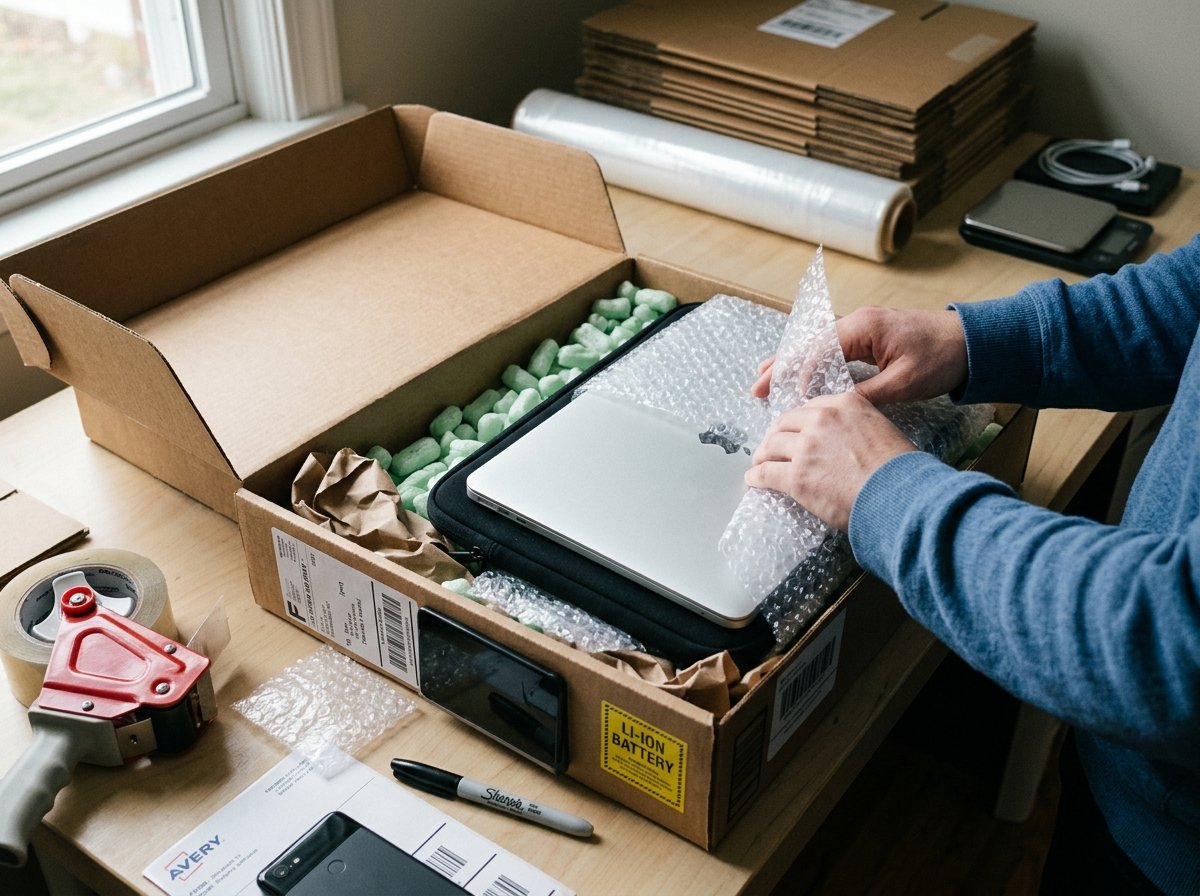
A cracked laptop screen. A phone that won’t turn on anymore. A battery that leaked during transit. These aren’t rare horror stories — they happen every single day when electronics aren’t packed or shipped properly. And the worst part? Most courier companies won’t cover damage caused by poor packaging. You’re left holding a broken device and an empty wallet.
Whether you’re selling a phone on eBay, sending your old laptop to a family member, or returning a device for repair, shipping electronics isn’t like shipping a pair of shoes. Phones and laptops have lithium batteries, fragile screens, and sensitive internal components. One wrong move — wrong box, wrong padding, wrong courier — and you’ve got a very expensive paperweight.
This guide walks you through the entire process step by step. From preparing your device before packing, to choosing the right materials, picking the best courier, and handling customs for international shipments. No fluff, no guesswork — just practical stuff that actually works.
Why Shipping Electronics Requires Extra Care
You might wonder — why can’t you just toss a phone in a padded envelope and call it a day? Well, you technically can. But here’s what you’re risking.
Phones and laptops are built with lithium-ion batteries, which are classified as dangerous goods by most shipping authorities including IATA (International Air Transport Association) and national postal services. These batteries can overheat, swell, or even catch fire if they’re damaged during transit. That’s not a theoretical risk — it happens.
Beyond the battery issue, you’ve got fragile LCD and OLED screens that can crack from even moderate pressure. Laptops have hard drives (in older models) that are sensitive to shock. And both devices have delicate connectors, cameras, and circuit boards that don’t respond well to being bounced around in the back of a delivery truck.
There’s also a legal angle. Many countries have specific rules about shipping dangerous goods — and lithium batteries fall squarely into that category. If you don’t follow the rules, your package can be seized, returned, or destroyed. Some carriers might even ban you from shipping with them again.
So yeah, a little extra care goes a long way.
Step 1: Prepare Your Device Before Packing
Before you even think about boxes and bubble wrap, you need to get the device itself ready. This step is about protecting your data, preventing damage, and making sure the device arrives in the condition you promised.
Back Up Everything and Factory Reset
If you’re selling or giving away the device, back up your data first and then do a full factory reset. For phones, go to Settings > General Management > Reset (Android) or Settings > General > Transfer or Reset iPhone (iOS). For laptops, use the built-in reset option in Windows Settings or macOS Recovery.
Why does this matter for shipping? Because if the device gets lost or ends up in the wrong hands — even temporarily — your personal data is at risk. Photos, passwords, banking apps, saved logins… all of it. Don’t skip this.
Power Down Completely
Don’t just put the device to sleep. Shut it down fully. A device that’s powered on during transit can overheat inside its packaging, especially if it’s wrapped in insulating materials like bubble wrap. A sleeping laptop in a sealed box can get surprisingly hot.
Battery Charge Level Matters
Here’s something most people don’t know: shipping authorities actually recommend that lithium batteries be charged between 30% and 50% for transport. A fully charged battery is more volatile if it’s punctured or exposed to extreme heat. A completely dead battery isn’t ideal either. That sweet spot in the middle is safest.
Remove Accessories and SIM Cards
Take out your SIM card, memory card, any USB devices plugged into the laptop, and removable batteries (if applicable). Detach charging cables, cases, and styluses. Pack these separately. Loose accessories rattling around inside a box can scratch screens and damage ports.
⚠️ Pro Tip: If you’re shipping a laptop with a removable battery, some carriers require you to pack the battery separately with its terminals taped over using non-conductive tape.
Step 2: Choose the Right Packaging Materials
This is where most people mess up. They grab whatever box is lying around, stuff some newspaper in it, and hope for the best. That’s a recipe for disaster with electronics.
The Box
You need a sturdy corrugated cardboard box — ideally double-walled. The box should be large enough to hold the device plus 2–3 inches of padding on every side. Not too big (device slides around), not too tight (no room for cushioning).
If the device still has its original retail box, use it. Apple, Samsung, Dell — these companies spend millions designing packaging that protects their products during shipping. The original box with its foam inserts is your best option. Put that original box inside a slightly larger shipping box with padding between them.
Don’t have the original box? No problem. You can find the right box size for your shipment without much hassle. Most courier stores and packaging supply shops sell boxes specifically designed for electronics.
Bubble Wrap — How Much Is Enough?
Wrap the device in at least 2–3 layers of bubble wrap. Make sure the screen side gets extra attention. For laptops, wrap the entire device and then add extra padding around the corners — that’s where impact force concentrates during drops.
Not sure about quantities? There’s a helpful breakdown on how much bubble wrap you actually need for different items. For a single phone, a few feet is fine. For a laptop, you’ll want a bigger roll.
Fill the Empty Space
After placing the wrapped device in the box, fill every gap. Use packing peanuts, crumpled kraft paper, or air pillows. The goal is simple: when you close the box and shake it gently, nothing should move. If you hear or feel shifting, add more fill.
Avoid using newspaper directly against the device — the ink can transfer and stain. And skip styrofoam chunks from old packaging that might crumble into dust and get into ports.
Seal It Properly
Use strong packing tape — not masking tape, not duct tape, not scotch tape. Apply tape along all seams of the box. The H-taping method works great: tape the center seam, then tape both edges where the flaps meet the sides.
If you’re thinking about eco-friendly packaging options, there are biodegradable packing peanuts, recycled cardboard fillers, and paper-based bubble wrap alternatives that work surprisingly well for electronics. You don’t have to sacrifice safety for sustainability.
Step 3: Labeling and Documentation
Proper labeling isn’t just about writing the address correctly. With electronics, there are specific markings and documentation that can mean the difference between smooth delivery and a seized package.
Lithium Battery Declaration
Most major carriers — FedEx, DHL, UPS, Royal Mail, USPS — require a lithium battery handling label on packages containing devices with lithium batteries. This is a small label (usually provided by the carrier) that indicates the package contains a lithium battery packed with equipment.
For devices where the battery is inside the phone or laptop (which is almost always the case now), it’s classified as “Lithium Ion Batteries Contained in Equipment” (UN3481). Your carrier will tell you exactly which label to use when you book the shipment.
⚠️ Warning: Skipping this label doesn’t just risk a fine. Some carriers scan packages, and unlabeled lithium battery shipments can be pulled from the transport chain entirely. Your package sits in a warehouse while you wonder why tracking hasn’t updated in a week.
Customs Forms for International Shipping
Shipping a phone or laptop to another country? You’ll need to fill out a customs declaration form. Be accurate and specific. Don’t write “electronics” or “gift” — write the actual item: “Used Samsung Galaxy S24, 1 unit, value $400.”
Include the device’s make, model, IMEI number (for phones), and serial number (for laptops). Some countries use these to check if the device is stolen. Having this info on the customs form speeds things up.
Also worth checking: different countries have different shipping restrictions and import duties on electronics. The US, for instance, generally allows used personal electronics without duty up to certain values. The UK has its own set of rules too. And Australia is particularly strict about battery declarations. Know the rules for your destination country before you ship.
Return Address and Contact Info
Always include a return address. If the package can’t be delivered, you want it coming back to you — not disappearing into a courier’s unclaimed warehouse. Add a phone number and email address too. Customs officers or delivery drivers might need to contact someone about the shipment.
Step 4: Choosing the Right Courier Service
Not every courier handles electronics equally. Some have dedicated services for fragile and high-value items. Others treat your carefully packed laptop the same as a bag of potatoes. Your choice of courier matters — a lot.
What to Look For
Insurance coverage is the first thing to check. Most standard shipping options include very limited liability — often around $50–$100. That’s not going to cut it for a $1,200 laptop. Look for carriers or service levels that offer declared value coverage up to the full worth of your device. Understanding how shipping insurance works can save you a lot of headache if something goes wrong.
Tracking is non-negotiable. You want real-time, detailed tracking — not just “in transit” for five days straight. Good tracking lets you know exactly where your device is and when it’ll arrive.
Delivery speed depends on your situation. If it’s a warranty repair with a deadline, you might want next-day or same-day delivery. If you’re shipping to a buyer who isn’t in a rush, standard shipping vs expedited gives you cheaper options that still get the job done.
Popular Carrier Options for Electronics
DHL Express is a solid choice for international electronics shipments. They have clear lithium battery policies, good tracking, and dedicated customs clearance teams. FedEx is another strong option, especially for US domestic shipments, with their “Declared Value” coverage up to $50,000.
UPS offers their “Pack & Ship” service where they’ll actually pack your device for you at a UPS Store — handy if you’re not confident in your own packing skills.
For budget-conscious domestic shipments, national postal services (USPS, Royal Mail, India Post, Australia Post) work fine for phones. Laptops are trickier because of size and weight. If you’re comparing international options, a DHL vs FedEx comparison can help you figure out which one offers better value for your specific route.
Signature on Delivery
Always request signature confirmation. Electronics are high-theft items. A package marked as “delivered” but left on a doorstep is a package that might walk away. Signature confirmation creates accountability and is usually worth the extra $3–$5.
Step 5: International Shipping — Extra Things to Know
Shipping a phone or laptop across borders adds a few more layers of complexity. You’re not just dealing with courier logistics — you’re dealing with customs, import taxes, and country-specific regulations.
Import Duties and Taxes
Most countries charge import duty and/or VAT/GST on electronics above a certain value threshold. The buyer or recipient usually pays these at the time of delivery. But here’s the thing — if the recipient refuses to pay, the package gets sent back to you, and you’re stuck paying return shipping.
To avoid surprises, you can use a DDP (Delivered Duty Paid) service where you pay customs fees upfront. It costs more, but the recipient gets the package without any extra charges. This is especially useful if you’re selling online and want happy customers.
IMEI Registration Requirements
Some countries — India, Turkey, Egypt, and others — require that imported phones have their IMEI number registered with the local telecom authority. If the IMEI isn’t registered, the phone might work for a few days and then get blocked from local networks. This isn’t a shipping issue exactly, but it’s something your recipient needs to know about.
Restricted and Banned Items
While phones and laptops themselves aren’t banned, specific configurations might be. Devices with certain encryption software can face restrictions when shipped to countries under trade sanctions. Military-grade rugged laptops might need export licenses. For regular consumer devices, you’ll be fine — but it’s worth double-checking the items banned from international shipping list for your destination country.
Step 6: Shipping for Online Sellers — Special Considerations
If you’re not just shipping a phone once but doing it regularly as part of an online business, there are some extra things worth knowing.
Packaging Consistency
When you’re shipping multiple devices a week, standardize your packaging process. Buy boxes in bulk — same size, same brand. Stock up on bubble wrap rolls, anti-static bags, and lithium battery labels. Consistency reduces mistakes. The one time you rush and skip the bubble wrap is the one time the device arrives cracked.
Returns and Refunds
Electronics have a high return rate compared to other product categories. Screen looked different than the photos. Device had a scratch that wasn’t mentioned. Battery life wasn’t as promised. Have a clear return policy and know how to handle returns for your online business efficiently. The cost of return shipping can eat into your margins fast if you don’t plan for it.
Shipping Costs and Pricing
Understanding how shipping rates are calculated helps you price your products right. Phones are light and small — shipping costs are usually reasonable. Laptops are heavier and take up more space, so dimensional weight might apply. That means the courier charges based on the package size rather than actual weight, whichever is higher.
If you’re shipping 10+ devices a month, ask your carrier about volume discounts. Most major couriers offer negotiated rates for regular shippers.
Common Mistakes People Make When Shipping Electronics
Let’s talk about the things that go wrong most often. Knowing these can save you from learning the hard way.
Using a box that’s too big without enough fill. The device bounces around like a pinball. Even with bubble wrap on the device, it needs to be snug inside the box. No movement = no impact damage.
Shipping with a 100% charged battery. We covered this earlier, but it’s worth repeating. Partially drain the battery before shipping. 30–50% is the sweet spot.
Not declaring the correct value. People sometimes under-declare the value to save on customs duties. If the package gets lost or damaged, the carrier will only reimburse the declared value. So that $800 phone you declared as “$50 gift”? You’re getting $50 back. That’s it.
Forgetting the lithium battery label. This is especially common with first-time shippers. The label takes 10 seconds to apply and can prevent your package from being flagged, delayed, or returned.
Skipping insurance for high-value devices. Standard carrier liability is nowhere near enough for electronics. If you’re shipping anything worth more than $200, buy additional coverage. It’s usually just a few dollars and it’s absolutely worth it.
Avoiding these common packaging mistakes that damage parcels will make your shipping experience dramatically smoother.
Quick Packing Checklist
Before you seal that box, run through this final check:
- Device is powered off completely
- Battery charge is between 30–50%
- SIM card, memory card, and accessories removed
- Factory reset done (if selling/giving away)
- Device wrapped in anti-static bag (especially laptops)
- 2–3 layers of bubble wrap around the device
- Original box used if available, inside a shipping box
- All gaps filled — no movement when shaken
- Lithium battery label applied on the outside
- Customs form filled accurately (for international)
- Insurance purchased for the declared value
- Signature on delivery selected
FAQ
Can I ship a phone or laptop through regular mail?
Yes, most postal services accept phones and laptops, but there are conditions. You’ll need to declare the lithium battery, follow their packaging guidelines, and there may be restrictions on air mail for lithium batteries. Some postal services only allow lithium battery devices via ground transport. Check with your specific postal service — USPS, Royal Mail, and Australia Post all have slightly different rules.
Do I need to remove the battery before shipping?
For devices with non-removable internal batteries (which is most modern phones and laptops), no — you don’t need to remove the battery. Just make sure the device is powered off and the battery is partially charged. If the device has a removable battery, some carriers prefer it packed separately with the terminals taped. Always confirm with your chosen carrier.
How much does it cost to ship a phone or laptop?
Costs vary widely depending on the carrier, destination, speed, and whether you’re shipping domestically or internationally. Domestically, shipping a phone typically costs $8–$20 with tracking. A laptop runs $15–$40 due to its size and weight. Internationally, expect $30–$80 for a phone and $50–$150+ for a laptop, depending on the destination and service level. Adding insurance increases the cost slightly but is strongly recommended.
What happens if my shipped device gets damaged?
If you purchased shipping insurance or declared value coverage, you can file a claim with the carrier. You’ll typically need the tracking number, proof of value (receipt, invoice, or listing screenshot), and photos of the damage and packaging. The claims process usually takes 5–15 business days. Without insurance, you’re limited to the carrier’s standard liability, which is often minimal — sometimes as low as $50.
Can I ship a phone or laptop internationally with the battery inside?
Yes, you can. Most carriers allow lithium-ion batteries that are installed inside a device to be shipped internationally. The key requirements are: the battery must be under 100 watt-hours (virtually all phone and laptop batteries are), the device must be off, and the package must have the proper lithium battery handling label. Spare or loose lithium batteries have much stricter rules and quantity limits.
Your Next Step
Shipping a phone or laptop doesn’t have to be stressful. The process is straightforward once you know what carriers expect and what your device needs for safe transit. Prepare the device, pack it with the right materials, label it correctly, choose a carrier that offers tracking and insurance, and you’re done.
The biggest takeaway? Don’t cut corners on packaging. Five extra minutes wrapping your device properly can save you hundreds of dollars in damage claims, refunds, and lost devices. Every year, millions of electronics ship safely around the world — yours can too, as long as you treat it like the fragile, valuable, battery-containing item it actually is.
If you’re shipping other valuable items alongside your electronics, you might also find it useful to read about how to ship jewelry and valuables — many of the same principles around insurance, tracking, and careful packaging apply there too.