
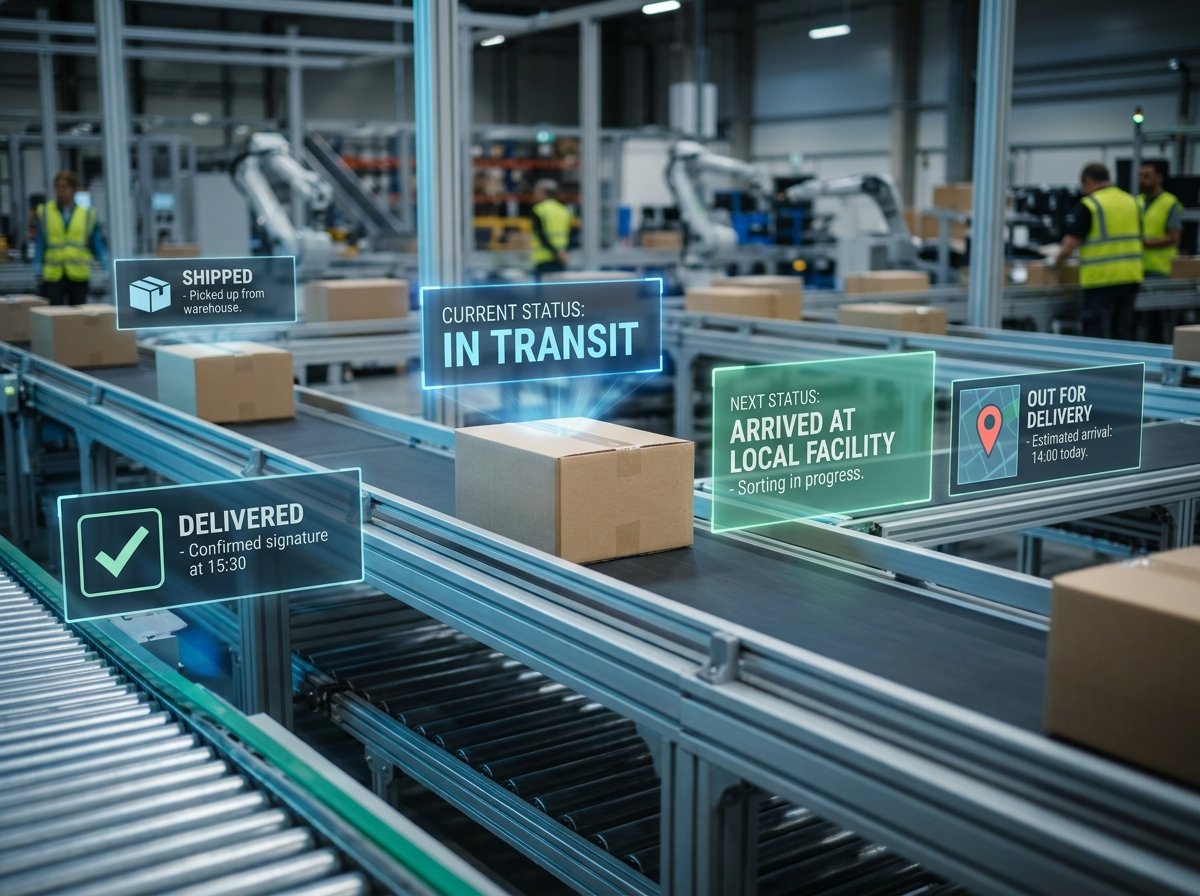
You ordered something online three days ago. The excitement is real. You grab your phone, punch in the tracking number, and then — you see a status that makes zero sense. “In Transit to Next Facility.” What facility? Where? And why has it been saying the same thing since yesterday morning?
You’re not alone. Millions of people check tracking pages every single day, and most of them walk away more confused than before. The truth is, tracking statuses aren’t written for regular people. They’re written for logistics systems. But once you know what each status actually means, you’ll never stress over a shipment again.
That’s exactly what we’ll break down here — every common tracking status, what’s really happening behind the scenes, and when you should actually worry versus when you should just wait it out.
How Package Tracking Actually Works
Before we get into individual statuses, it helps to understand the system behind them. Your package doesn’t just magically move from the seller to your door. It passes through a chain of scan points, and each scan triggers a status update.
Here’s the basic idea: every package gets a unique tracking number when the shipment label is created. As your package moves through warehouses, sorting centers, customs checkpoints, and delivery trucks, workers (or automated machines) scan its barcode. Each scan records the time, location, and what just happened. That info gets pushed to the courier’s website, and you see it as a tracking update.
Some couriers like DHL, FedEx, and UPS update their scans in near real-time. Others, especially national postal services, might take hours — sometimes a full day — to reflect a scan. That delay is why your tracking page sometimes looks “stuck.” The package is moving; the system just hasn’t caught up yet.
Pro Tip: If you’re choosing between couriers and tracking quality matters to you, it helps to compare services like DHL and FedEx before shipping. Some carriers simply have better tracking infrastructure than others.
Pre-Shipment and Label Created Statuses
This is where confusion usually starts. You get a tracking number, you enter it, and the page says something like “Label Created” or “Shipment Information Received.” Naturally, you think your package is on its way. But here’s what’s really going on.
Label Created / Shipping Label Created
This status means the sender has created a shipping label and the courier’s system now has a record of your package. That’s it. The package hasn’t been picked up yet. It could still be sitting in the seller’s warehouse, waiting for the courier to collect it.
Sometimes this status stays for 1–3 days, especially if the seller prints labels in batches before handing packages over. Don’t panic if you see this status lingering for a couple of days. It’s normal.
Shipment Information Received / Pre-Shipment Info Sent
This is almost identical to “Label Created.” The courier knows a package is coming but doesn’t physically have it yet. You’ll often see this with international shipments where the seller notifies the courier electronically before the actual drop-off.
When to worry: If this status doesn’t change for more than 5–7 business days, reach out to the seller (not the courier). The package might not have been dispatched yet.
Picked Up and Accepted Statuses
Once the courier physically has your package, you’ll see a new set of updates. These are good signs — they mean your shipment is officially in the system and moving.
Picked Up / Package Picked Up
The courier’s driver or agent collected the package from the sender’s location. From this point, it usually heads to the nearest sorting facility. You should see the next status update within 12–24 hours.
Accepted at Origin Facility / Received at Warehouse
Your package has arrived at the courier’s local warehouse or sorting center. Workers will sort it based on its destination and load it onto the right truck, plane, or van. If you’re shipping domestically, it might go straight to a regional hub. For international shipments, this is where the export process begins.
If you’re sending something valuable — say, jewelry or other high-value items — this is typically the point where any declared insurance coverage kicks in.
In Transit Statuses — The Waiting Game
This is the phase where patience gets tested. Your package is somewhere between the origin and your doorstep, bouncing between facilities, and the tracking page keeps repeating variations of the same update.
In Transit / In Transit to Next Facility
This is the most common (and most vague) status you’ll ever see. It simply means your package is on the move — in a truck, on a plane, or sitting in a container between two points. The courier knows where it was last scanned and where it’s headed, but there’s no new scan to report yet.
Here’s something most people don’t realize: packages don’t get scanned at every single stop. If your shipment travels 500 miles overnight in a sealed truck, there’s no one scanning it mid-journey. You’ll only see an update when it arrives at the next hub and gets scanned again. So yes, “In Transit” for 24–48 hours without any change is perfectly normal.
Arrived at Hub / Arrived at Sort Facility
Your package has reached a major sorting center. Big couriers like FedEx, UPS, and DHL operate massive hubs — think Memphis, Leipzig, or Dubai — where thousands of packages get sorted every hour. Your package landed at one of these, got scanned, and is now being sorted for the next leg of its journey.
Departed Facility / Left the Origin Country
This is a great update to see, especially for international orders. It means your package has cleared the origin location and is on its way to the next point — which could be a customs checkpoint or a destination hub.
For international shipments, “Left the Origin Country” usually means it’s on a plane. Depending on the shipping speed you chose — economy or express — the flight could be direct or could involve stops in multiple countries before reaching yours.
Arrived at Destination Country
Your package has physically landed in your country. But don’t start waiting by the door just yet. It still needs to clear customs, get processed at a local hub, and then be assigned to a delivery driver. This phase can take anywhere from a few hours to several days, depending on customs workload.
Customs-Related Tracking Statuses
If you’ve ordered something internationally, customs is the part of the journey that creates the most anxiety. The tracking page starts showing statuses that sound official and slightly intimidating. Let’s decode them.
Customs Clearance Processing / In Customs
Your package is being reviewed by the destination country’s customs authority. Every international shipment goes through this — they check what’s inside, verify the declared value, and ensure nothing prohibited is being imported. Most packages clear customs within 24–48 hours without any issues.
Did you know? Different countries have very different rules about what you can ship across borders. If you’re sending items to specific destinations, it’s worth checking shipping restrictions to the USA, UK, or Australia before anything gets flagged.
Held by Customs / Customs Delay
This is where things can get stressful. Your package has been flagged or held for further inspection. This can happen for several reasons — incomplete paperwork, a random security check, restricted items, or duties/taxes that need to be paid before release.
If the courier needs you to take action (like paying import duties), they’ll usually send an email or SMS. Sometimes the tracking page itself will say “Action Required.” Don’t ignore these notifications — the longer you wait, the longer your package sits there.
Customs Released / Cleared Customs
The good stuff. Your package passed inspection and is free to move within the destination country. From here, it heads to a local delivery hub. You’re usually 1–3 days away from getting your hands on it.
Out for Delivery — Almost There
Out for Delivery
This is the update everyone loves to see. Your package has left the local delivery depot, and it’s on a truck headed your way. In most cases, you’ll receive it within a few hours.
But “Out for Delivery” doesn’t always mean it’ll arrive today. If the driver’s route is long, if there are too many stops, or if something unexpected happens (bad weather, vehicle issues), delivery might get pushed to the next day. It’s uncommon, but it happens.
Quick tip: If you know you won’t be home, find out what happens if no one is home for delivery with your specific courier. Some leave packages with neighbors, some take them back to the depot, and some have locker options.
Delivery Attempted / Attempted Delivery — No Access
The driver tried to deliver your package but couldn’t. Maybe nobody was home. Maybe the building gate was locked. Maybe the address was incomplete or hard to find. The driver will usually leave a note (physical or digital) and try again the next business day.
Most couriers attempt delivery 2–3 times before holding the package at a depot for pickup. If you need it sent somewhere else entirely, you can often redirect your package to a different address through the courier’s website or app.
Delivered Statuses
Delivered / Successfully Delivered
Your package has been handed off. The driver scanned it at your door, and the system recorded the delivery as complete. In many cases, you’ll also get photo proof or a signature confirmation.
Now here’s the tricky part. Sometimes the status says “Delivered,” but you can’t find the package. Maybe the driver left it with a neighbor, at a reception desk, in a mailroom, or at a safe place on your property. Check those spots first.
If you’ve genuinely looked everywhere and the package isn’t there, don’t wait — report it immediately. There’s a specific process for handling a package marked delivered but not received, and acting fast improves your chances of resolution.
Delivered to Agent / Left with Neighbor
Some couriers hand your package to someone else at your address — a family member, a building security guard, or a neighbor — and mark it as delivered to an “agent.” The tracking update usually mentions who signed for it. If you don’t recognize the name, ask around before filing a complaint.
Problem and Exception Statuses
Not every shipment goes smoothly. Sometimes things go wrong, and the tracking page reflects that with statuses that sound alarming.
Exception / Shipment Exception
This is a catch-all status that means something unexpected disrupted the normal delivery flow. It could be anything — a weather delay, a missed connection, a damaged label, a vehicle breakdown, or an address issue. “Exception” doesn’t automatically mean your package is lost. It means the courier flagged something that needs attention.
Check back in a few hours. Many exceptions resolve themselves without you doing anything. If the status doesn’t change within 24 hours, call the courier’s customer service line.
On Hold / Shipment on Hold
Your package has been paused at some point in the journey. This could be due to a customs issue, a payment requirement (duties or fees), an address correction needed, or even a temporary facility shutdown. The reason is usually mentioned alongside the status. If it isn’t, you’ll need to contact the courier for details.
Returned to Sender / Return in Progress
Your package is heading back to where it came from. This happens when delivery attempts fail repeatedly, when the recipient refuses the package, when customs rejects the shipment, or when the address is simply undeliverable. If you didn’t request a return, contact the seller immediately to figure out what went wrong.
For online business owners who deal with returns regularly, having a clear returns handling process saves both time and money.
Damaged / Package Damaged in Transit
Rare, but it happens. The courier has flagged that your package was damaged during transport. Depending on the courier’s policy, they might still attempt delivery so you can inspect it, or they might hold it at a facility. If the contents are damaged, you’ll want to file a claim for the lost or damaged package as soon as possible. Having shipping insurance makes this process significantly easier.
Why Tracking Updates Sometimes Stop or Seem Stuck
One of the most common frustrations: your tracking hasn’t updated in two or three days. The last scan says “In Transit,” and you’re starting to imagine your package sitting in a forgotten corner of some warehouse. Here’s what’s usually happening.
The package is in a no-scan zone. When shipments move between major hubs — especially on long-haul routes — there are stretches where no scanning happens. Your package could be on a cargo ship crossing an ocean for 10 days with zero updates. That doesn’t mean it’s lost. It means there’s literally no scanner in the middle of the Pacific Ocean.
System delays. Some postal services (especially smaller national carriers) don’t update their tracking databases in real time. Scans might happen at the facility but take 12–48 hours to show up on the website.
Weekends and holidays. Many sorting facilities operate on reduced schedules during weekends and public holidays. If your last scan was on a Friday evening, you might not see another update until Monday or Tuesday.
Handoff between carriers. International shipments often get handed from one courier to another. For instance, DHL might handle the international leg, and your local postal service takes over for the last mile. During this handoff, there’s usually a gap in tracking updates. You might need to use a different tracking page (the local carrier’s site) to see new updates.
Pro Tip: If tracking seems stuck for an unusually long time, try entering your tracking number on a universal tracking site like 17Track or Parcelsapp. These platforms pull data from multiple carriers and sometimes show scans that the original courier’s site missed.
Tracking Statuses That Differ by Courier
It’s worth knowing that different couriers use slightly different language for the same events. Here’s a quick reference so you’re not thrown off.
“Shipment on its way” (DHL) means the same thing as “In Transit” (FedEx/UPS). “Item received by delivery company” (Royal Mail) is equivalent to “Accepted at Origin Facility.” “Available for collection” means the package is at a depot or pickup point, waiting for you.
If you frequently ship or receive packages through UK-based carriers, understanding the differences between Royal Mail and Parcelforce can help you interpret their specific tracking language more accurately.
The terminology changes, but the underlying process stays the same: scan, move, scan, move, deliver.
When Should You Actually Contact the Courier?
Not every tracking delay warrants a phone call. Here’s a practical guideline.
Wait it out if the tracking hasn’t updated for 1–2 days and the status says “In Transit.” This is normal. Also wait if it says “Customs Clearance Processing” and it’s been less than 3 business days.
Contact the courier if “Label Created” hasn’t changed in 7+ days (but talk to the seller first). Reach out if an “Exception” status hasn’t resolved in 24 hours with no explanation. Call if “Out for Delivery” was shown but no delivery happened and there’s no follow-up scan the next day. And definitely get in touch if “Delivered” shows but you genuinely never received the package.
Contact the seller if you suspect the package was never actually shipped, if it’s being returned to sender and you didn’t request it, or if the tracking number doesn’t work at all.
FAQ
Q: My tracking says “In Transit” for 5 days — is my package lost?
Not necessarily. For international shipments, 5 days without an update can be normal, especially if the package is on a cargo flight with connections or traveling by sea. Domestic shipments stuck on “In Transit” for more than 3–4 business days are worth investigating — contact the courier with your tracking number and ask for a manual trace.
Q: What does “Shipment Exception” mean, and should I be worried?
“Exception” means something broke the normal delivery routine. It could be as minor as a weather delay or as significant as a damaged label. Most exceptions resolve within 24 hours without your involvement. If the status persists beyond that, reach out to the courier. It doesn’t mean your package is lost — it just means there’s a bump in the road.
Q: Can I track a package if it switches carriers mid-journey?
Yes, but you might need to track it on the second carrier’s website. For example, if an international courier hands your package to a local postal service for final delivery, your original tracking number sometimes works on the local carrier’s site too. If it doesn’t, the original courier’s last update will usually mention the local carrier’s tracking number. Universal tracking websites can also help bridge the gap.
Q: Why does tracking say “Delivered” when I haven’t received anything?
This happens more often than you’d think. The driver may have left the package in a “safe place,” handed it to a neighbor, or delivered it to a mailroom or reception area. Check all possible spots. If you still can’t find it, report it to the courier within 24 hours and contact the seller. Having photo proof of delivery (which many couriers now provide) helps resolve these disputes faster.
Q: Does every package get the same tracking updates?
No. The number and detail of tracking updates depend on the courier, the shipping speed you paid for, and the route. Express services from FedEx, DHL, and UPS tend to provide very detailed, almost real-time tracking. Budget shipping options and standard postal services give fewer updates. If detailed tracking matters to you, keep that in mind when you compare standard and expedited shipping options.
Your Tracking Page Isn’t a Mystery Anymore
Every tracking status — from “Label Created” to “Delivered” — tells a small piece of the story of your package’s journey. Some of those updates are clear, and some feel like they were written in courier-industry code. But now that you know what each one means, you can read that tracking page like a pro.
The biggest takeaway? Most delays are normal. Packages move through complex networks involving multiple facilities, vehicles, and sometimes different countries. A pause in updates usually doesn’t mean something went wrong — it means the package is somewhere between two scan points.
Next time your tracking shows something unfamiliar, come back to this page and check. And if your package truly seems stuck or lost, don’t sit on it — reach out to the courier or seller early. The sooner you act, the faster things get resolved. Happy tracking!